Sunday, November 21, 2010

Sunday, October 17, 2010
Friday, October 8, 2010
A Performance by Ramli Sarip
~A Performance by Ramli Sarip ~
^_^
-=-=-=-
p.s: a live performance by Ramli Sarip are rarely disappointing
Tuesday, September 14, 2010
How to transfer your contact in SE (Sony Ericsson) Phone to Blackberry
The Question is :
How to transfer your contact in SE (Sony Ericsson) Phone to Blackberry ?
The Step-by-Step Answers is here :
1. First go to http://www.sonyericsson.com
go to > Support > SoftwareDownlooads (pick your SE model) > download pc suite or Isync(for mac)
[ You can skip this step if you already have the software with you ]
After downloading, install it and run it.
2. After opening your software, click at backup and restore > backup all you phone content
[chose a specific folder that you can easily find *Optional Step* ]
** Important Step**
3. The file will be saved in (.dbk) format. Copy that file and save it as another file in (.zip) format
example : W660.dbk (file name ) > right click copy and paste > rename > W660.zip
4. After changing the file name now it become a zip file, extract(unzip) it as usuals.
5. After extracting you will find several files, such as calendar, task..etc. One of the files been extracted is contact.This contact file is in (.vcf) format.
6. Now you have to download another software called : ABC Amber vCard Converter.
you can search in google or at : www.download.com
[ The Direct Link :
ii. http://www.processtext.com/abcvcard.html ]
7. Download it, install it and open it.
8. After opening it, choose file>open>click on the contact.vcf > Open
9. Once the file is open, you can see your contact list. After that, just click at the blackberry symbols at top area of the software (between the file button and the contact table)
10. Choose your file location to save. and Wallaaaa... your contact at SE phone is now ready to transfer to Blackberry
11. Open your blackberry desktop manager and choose backup and restore. Click on restore and choose the contact.ipd.
12. Finish, your contact in SE phone is now at your new Blackberry.
Hope this short step-by-step tutorial is useful,
If you have any more question, or suggestion feel free to leave your comment.
Thank You. ^_^
Tuesday, August 10, 2010
Selamat Menjalani Ibadah Ramadhan
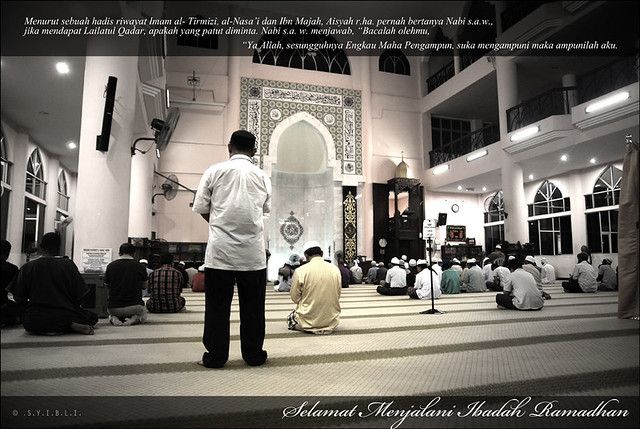
Selamat Menyambut Ramadhan. ^_^
Semoga Ramadhan kali ini lebih baik dr Ramadhan2 yang telah lalu. Amin
----------------------------------------------------------------------------------------------------------------------------
Dan Abu Hurairah telah berkata : Aku telah mendengar Rasulullah S.A.W bersabda tentang Ramadhan yang artinya :
"Sesiapa yang mendirikan Ramadhan dengan penuh keimanan dan keikhlasan maka akan diampunkan baginya dosanya yang telah lalu."
Hadis riwayat Bukhari, Muslim, Abu Daud, Nasai'e dan Baihaqi
----------------------------------------------------------------------------------------------------------------------------
Ahlan Ramadhan [1]
Ahlan Ramadhan [2]
Ahlan Ramadhan [3]
Saturday, July 31, 2010
Ramadhan 1431 H

Ramadhan
Pesanan utk diri :
Marilah Kita mempersiapkan diri merebut Ganjaran Berlipat Kali Ganda Di Ramadhan
mendatang ini. Dengan Izin Allah, semoga Ramadhan kali ini lebih baik dr Ramadhan2
yang terdahulu. Amin
Tuesday, July 13, 2010
Subscribe to:
Posts (Atom)